Making sense of AI agents and their impact on UX



Where the experience really starts
AI agents are often talked about through the parts users can see: the chat interface, the prompt, and the response. But the experience is shaped much earlier than that.
What an agent knows, what it can access, how it is instructed, when it asks for clarification, when it takes action, and how it handles uncertainty all influence how the product feels to use.
That is what made me want to better understand the building blocks behind agents. I already understood the idea of an AI agent at a high level, but I wanted a clearer grasp of what made agents different from tools like ChatGPT, and how those behind-the-scenes decisions could affect UX.
To build that foundation, I took Google’s AI Agents Intensive Course and later turned what I learned into a presentation for the design team at League. The course was mostly geared toward engineers, but it helped me connect the technical pieces back to something designers care about deeply: how a system behaves once it reaches a user.
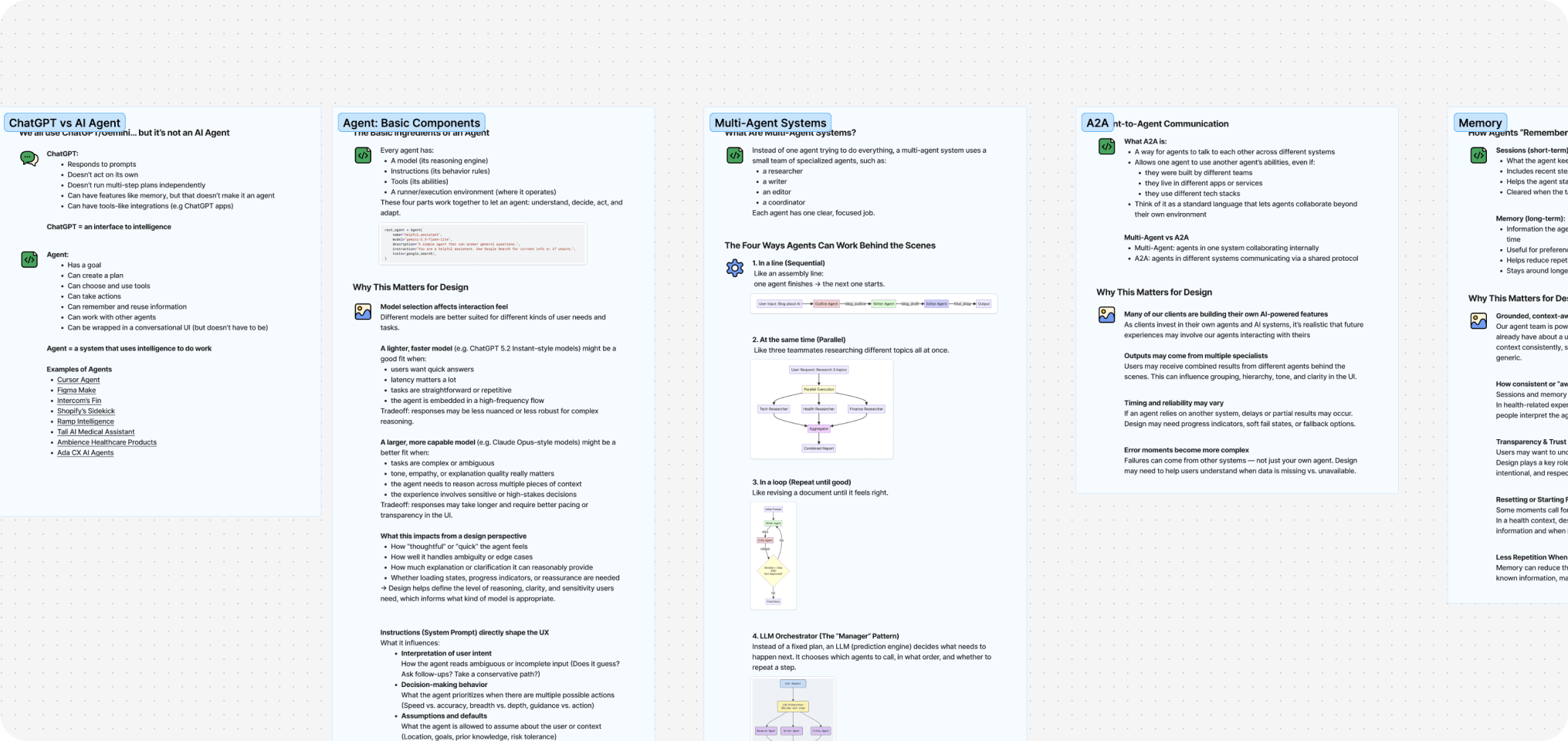
How the parts fit together
The course helped me see agents less as one single thing and more as a system made up of smaller parts.
At the most basic level, an agent needs a model, a system prompt, tools, and some kind of environment where the work actually runs. The model helps determine what kinds of tasks the agent can handle. The system prompt shapes how it should behave. The tools define what it can access or do. And the execution environment coordinates how the work happens.
Once I started looking at agents this way, the design implications became much easier to see. A model choice can affect how well the agent handles complexity or ambiguity. A vague system prompt can lead to inconsistent behaviour. A powerful tool might need a confirmation step before taking action. A fragile execution flow can create confusing errors or make the system feel unreliable.
These pieces may sit behind the scenes, but they directly affect the experience users have in front of them.
The Basics
Once I understood the basic parts of an agent, the next question was how each one could change the experience for the user.
Model
Model selection affects what kinds of tasks the agent is best suited for. A lighter model may work well for simple or repetitive tasks, while a more capable model may be needed for complex, ambiguous, or sensitive work.
System Prompt
The system prompt shapes how the agent behaves. It can influence how the agent interprets unclear requests, what it prioritizes, when it asks follow-up questions, and how it communicates.
Tools
Tools define what the agent can access or do. They can turn an agent from something that only responds with information into something that can retrieve data, compare options, update records, or take action.
Runner
The runner, or execution environment, controls how the work happens. It affects how tasks are coordinated, how failures are handled, and whether progress can be shown along the way.
When multiple agents work together
After looking at the parts that make up a single agent, the next layer was understanding what happens when more than one agent is involved.
In a multi-agent system, different agents can be responsible for different types of work. One might retrieve information, another might summarize it, another might check quality, and another might decide what should happen next.
Agents can work together in a few different ways:
- Sequential: one agent completes a step before the next one starts.
- Parallel: multiple agents work at the same time on different parts of the task.
- Loop: agents repeat a step until the output meets a certain condition.
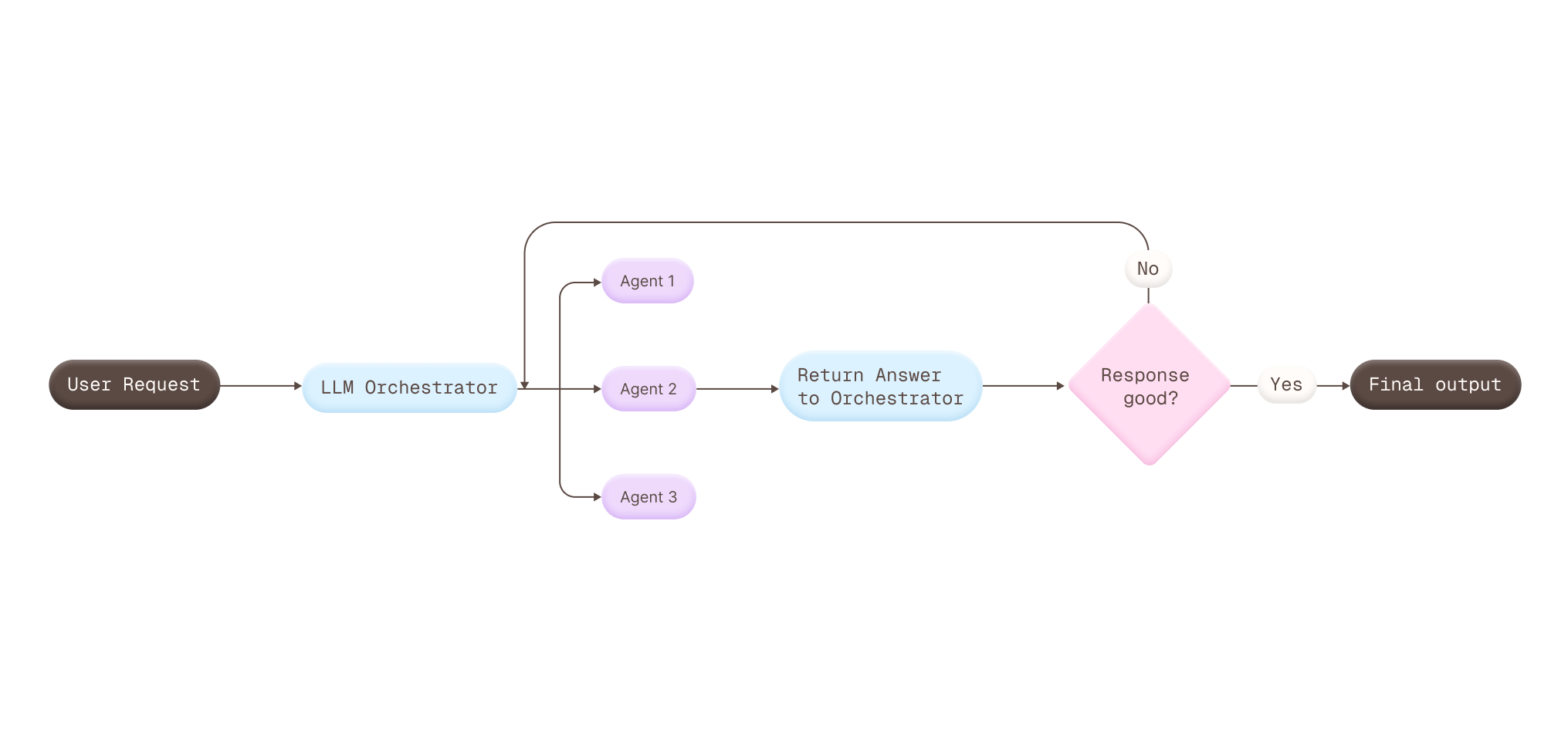
- LLM orchestrator: one coordinating layer decides which agents to call, when to call them, and how to bring the outputs together.
The orchestrator pattern was the one I found most interesting, especially because we used a similar approach internally at my company From a UX perspective, it raises an important challenge: even when multiple agents are contributing behind the scenes, the experience still needs to feel consistent, coherent, and like it is coming from one product.
When agents communicate across systems
Agent-to-agent communication takes collaboration one step further. Instead of agents only working together inside one product, agents from different systems can communicate through a shared protocol.
From a UX perspective, this can affect:
- Timing: another system may slow down the response.
- Reliability: errors may come from outside the product.
- Clarity: users may need to know when information is missing, delayed, or coming from somewhere else.
The goal is not to expose every handoff. It is to make the experience feel understandable when the work depends on systems the user never sees.
What agents remember
Memory was one of the parts that felt especially important from a UX perspective, because it changes how personal and aware an agent can feel.
In the course, this was split into two ideas:
- Session context: what the agent keeps track of while it is working on the current task.
- Long-term memory: what the agent can carry across different tasks or moments over time.
This can make an experience feel smoother because the user does not have to repeat the same information again and again. But it also raises bigger design questions around trust, transparency, and control.
If an agent remembers something, the user may need to understand what it knows, why it matters, and when they can reset or change it. Memory can make an agent feel helpful, but only when it feels intentional and not surprising.
Checking how agents behave
Evaluation and observability felt closely connected because both are about understanding whether the agent is behaving the way we expect.
Evaluations
Evaluations are about testing the agent against specific scenarios to see if it follows the instructions, guidelines, or behaviours we defined for it. If the agent is supposed to ask for clarification, avoid unsupported claims, follow a certain tone, or stay within a specific scope, evaluation helps check whether that actually happens.
Observability
Observability is about seeing what happened behind the scenes when something goes wrong. What information did the agent use? Why did the tool call didn’t go through? Where did the workflow break down?
From a UX perspective, both help protect the quality of the experience over time. They can catch issues with tone, accuracy, edge cases, safety boundaries, and confusing failures, especially as prompts, tools, models, or product requirements change.
What this means for design
The biggest shift for me was realizing how early UX decisions start when designing with agents.
By the time an agent reaches the interface, many of the choices that shape the experience are already in motion. This made me think differently about where design can contribute, starting with the questions we ask before the behaviour is fully defined.
I started thinking of this as a small reference guide for myself: a way to remember what UX questions are worth asking when different parts of an agent are being defined.
What kinds of tasks does the agent need to support? How complex, sensitive, or ambiguous are those tasks?
Who is this agent, and what role should it play? What tone or communication style should it use? When should it ask for clarification, set boundaries, or avoid taking action?
What should the agent be able to access or do? Which actions need preview, confirmation, or undo?
How should progress be shown? What happens if a step fails? Can the user understand what is happening?
What coordination pattern are we using: sequential, parallel, loop, or orchestrator? How does that affect the complexity of the experience? What does the user need to see or understand when multiple agents are involved?
How do we handle delays, missing information, or partial results when the experience depends on another system?
What should carry forward? What should reset? How much control should users have over what is remembered?
What does “good” behaviour look like? What scenarios should the agent be tested against?
Where did the experience break down? Does the user need an error state, a fallback, a retry, or a clearer explanation?